
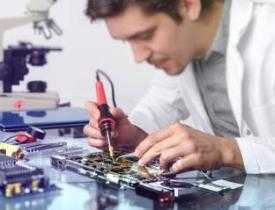
Description
Course Name: Diploma in Computer Repair and Diagnostic Techniques
Course Id: DCRDT/Q0001.
Eligibility: Completion of 10+2 (higher Secondary) or equivalent.
Objective: A Diploma in Computer Repair and Diagnostic Techniques is a practical and hands-on program that provides in-depth knowledge of computer hardware and its functions. It prepares students for various technical roles in the IT and computer hardware industry, focusing on system assembly, troubleshooting, maintenance, and networking.
Duration: Six Months.
 How to Enroll and Get Certified in Your Chosen Course:
Step 1: Choose the course you wish to get certified in.
Step 2: Click on the “Enroll Now” button.
Step 3: Proceed with the enrollment process.
Step 4: Enter your billing details and continue to course fee payment.
Step 5: You will be redirected to the payment gateway. Pay the course and exam fee using one of the following methods:
Debit/Credit Card, Wallet, Paytm, Net Banking, UPI, or Google Pay.
Step 6: After successful payment, you will receive your study material login ID and password via email within 48 hours of fee payment.
Step 7: Once you complete the course, take the online examination.
Step 8: Upon passing the examination, you will receive:
• A soft copy (scanned) of your certificate via email within 7 days of examination.
• A hard copy (original with official seal and signature) sent to your address within 45 day of declaration of result.
Step 9: After certification, you will be offered job opportunities aligned with your area of interest.
Online Examination Detail:
- Duration- 120 minutes.
- No. of Questions- 60. (Multiple Choice Questions).
- 10 Questions from each module, each carry 10 marks.
- Maximum Marks- 600, Passing Marks- 40%.
- There is no negative marking in this module.
| How Students will be Graded: | ||
| S.No. | Marks | Grade |
| 1 | 91-100 | O (Outstanding) |
| 2 | 81-90 | A+ (Excellent) |
| 3 | 71-80 | A (Very Good) |
| 4 | 61-70 | B (Good) |
| 5 | 51-60 | C (Average) |
| 6 | 41-50 | P (Pass) |
| 7 | 0-40 | F (Fail) |
Key Benefits of Certification- Earning a professional certification not only validates your skills but also enhances your employability. Here are the major benefits you gain:
Practical, Job-Ready Skills – Our certifications are designed to equip you with real-world, hands-on skills that match current industry demands — helping you become employment-ready from day one.
Lifetime Validity – Your certification is valid for a lifetime — no renewals or expirations. It serves as a permanent proof of your skills and training.
Lifetime Certificate Verification – Employers and institutions can verify your certification anytime through a secure and reliable verification system — adding credibility to your qualifications.
Industry-Aligned Certification –All certifications are developed in consultation with industry experts to ensure that what you learn is current, relevant, and aligned with market needs.
Preferred by Employers – Candidates from ISO-certified institutes are often prioritized by recruiters due to their exposure to standardized, high-quality training.
Free Job Assistance Based on Your Career Interests – Receive personalized job assistance and career guidance in your preferred domain, helping you land the right role faster.
Syllabus
Fundamentals of Computer Hardware: Introduction to computer systems and components, Types of computers and their functions, Motherboard architecture and chipsets, CPU types and socket compatibility, RAM types and installation, Power supply units and SMPS working, Hard drives, SSDs and storage interfaces, Optical drives and removable media, Input/output devices (keyboard, mouse, monitor), Assembling a basic PC
Operating Systems and Software Installation: Introduction to operating systems (Windows, Linux), OS installation and configuration, Partitioning and formatting drives, Device drivers installation and management, BIOS and UEFI settings, Dual boot and virtualization basics, Software installation and licensing, System update and patch management, Task manager and system utilities, Creating and restoring system images
Diagnostics and Troubleshooting Techniques: POST and beep codes interpretation, Diagnosing motherboard and power issues, Troubleshooting RAM and CPU faults, Hard disk diagnostics and data recovery basics, Display and graphics card issues, Peripheral device troubleshooting, Network and internet connectivity issues, Error messages and troubleshooting tools, Use of multimeter and diagnostic cards, Preventive maintenance and cleaning
Advanced Repair and Chip-Level Servicing: Soldering tools and techniques, Identification of electronic components (resistors, capacitors, ICs), Tracing and repairing motherboard circuits, Laptop disassembly and servicing, DC jack and screen replacement, Replacing BGA components and use of rework stations, Working with oscilloscopes and logic analyzers, BIOS flashing and recovery, Power sequencing in laptops, Electrostatic discharge safety and precautions
Networking and Internet Setup: Basics of networking (LAN, WAN, Wi-Fi), Network devices (modem, router, switch), IP addressing and subnetting, Cable crimping and connector types, Network configuration and sharing, Troubleshooting network hardware, Internet setup and browser configuration, Firewall and basic security settings, Printer sharing and remote desktop setup, Introduction to cloud services
Customer Support and Professional Practices: Customer interaction and service reporting, Service documentation and ticketing systems, Inventory and parts management, Time management and scheduling repairs, Handling data confidentiality and privacy, Ethical practices in technical service, Soft skills and communication, Technical support via phone and remote tools, Setting up a computer repair business, Career opportunities and certifications.
Job Opportunities after completion of Diploma in Computer Repair and Diagnostic Techniques course:
After successful completion of the Diploma in Computer Repair and Diagnostic Techniques program, graduates gain comprehensive knowledge and skills related to the design, installation, maintenance, and troubleshooting of computer hardware systems. This program prepares them for various technical roles in the IT, electronics, and manufacturing industries.
Career Options:
- Computer Hardware Engineer
- Works on the design, development, and testing of computer hardware components like processors, circuit boards, memory devices, and peripheral equipment. They ensure that hardware systems function efficiently and meet performance standards.
- IT Support Technician
- Provides technical support and troubleshooting for hardware and software issues in organizations. They may work in-house or as part of an IT service provider, helping clients with hardware installations, repairs, and upgrades.
- Network Engineer
- Specializes in setting up, maintaining, and troubleshooting network hardware, including routers, switches, and cables. They also ensure that network systems are reliable and secure.
- System Administrator
- Manages and maintains the computer systems and hardware infrastructure within an organization. They ensure that hardware is running smoothly, and networks are properly integrated for optimal performance.
- Hardware Maintenance Engineer
- Focuses on maintaining and repairing hardware systems, including personal computers, servers, and network devices. They diagnose hardware issues and perform repairs or replacements to ensure minimal downtime.
- Embedded Systems Engineer
- Works on integrating hardware and software components for embedded systems, which are specialized computing devices found in appliances, vehicles, industrial machinery, and other electronics.
- Field Service Technician
- Travels to client sites to install, maintain, and repair computer hardware and related equipment. They may also train clients on the proper use and maintenance of their systems.
- Computer Repair Technician
- Provides repair services for malfunctioning computers, from diagnosing problems to replacing faulty components. These technicians may work in retail stores, repair shops, or independently.
- Electronics Technician
- Works with the circuitry and components of hardware systems, troubleshooting electrical systems in computers and other electronic devices. This role may involve working with microcontrollers, processors, and sensors.
- Data Center Technician
- Works in data centers to ensure the proper functioning of hardware systems, including servers, storage systems, and network equipment. They perform maintenance tasks and monitor system performance.
- Hardware Quality Assurance (QA) Engineer
- Ensures that computer hardware products meet quality standards through rigorous testing. They identify and resolve potential issues before products are released to consumers.
- Production/Manufacturing Engineer
- Works in the production of computer hardware, overseeing the assembly and manufacturing of components such as motherboards, graphics cards, and other devices. They ensure efficient production processes and product quality.
- Sales Engineer (Hardware)
- Specializes in selling computer hardware products to businesses and consumers. They provide technical expertise and assist clients in selecting the right hardware solutions based on their needs.
- Technical Consultant (Hardware)
- Offers expert advice on hardware solutions, guiding businesses in choosing and implementing the right hardware technologies for their operations. They may work for consulting firms or as independent contractors.
- Mobile Phone Repair Technician
- Focuses on repairing and maintaining mobile devices and their components, such as screens, batteries, and processors. This role requires knowledge of mobile hardware and diagnostics.
- IT Trainer
- Teaches courses related to computer hardware, including installation, configuration, and troubleshooting techniques. Trainers work in academic institutions, technical schools, and corporate settings.
- Network Administrator
- Manages and maintains an organization’s computer network, including network hardware, such as routers, switches, and firewalls. They ensure network security and functionality.
- Robotics Technician
- Works with robotic hardware systems, ensuring that the mechanical components function properly. This includes maintenance, testing, and repair of robotic systems used in industrial applications.
- Cybersecurity Technician
- Works with the hardware side of cybersecurity, ensuring that network devices and systems are secure from cyber threats. This includes implementing hardware-based firewalls, intrusion detection systems, and encryption technologies.
- Freelance Technician/Consultant
- Offers computer hardware services, such as installations, repairs, and system upgrades, on a freelance basis. Freelancers have the flexibility to work with multiple clients and can establish their own service businesses.
Industries:
- Information Technology
- Electronics and Manufacturing
- Telecommunications
- Education (Technical Institutes and Training Centers)
- Data Centers
- Retail (Consumer Electronics and Hardware Stores)
- Research and Development (R&D)
- Automotive (Embedded Systems and Robotics)
- Healthcare (Medical Device Maintenance)
- Government and Public Sector
- Consulting Firms and Freelancing
Salary Range:
- Entry-level: ₹2.5 – ₹4 LPA (1-3 years of experience)
- Mid-level: ₹4 – ₹8 LPA (3-6 years of experience)
- Senior-level: ₹8 – ₹15 LPA and above (6+ years of experience)
Salaries vary based on the role, location, and the individual’s experience. Graduates with specialized knowledge (e.g., embedded systems, networking, or high-level technical roles) tend to earn higher salaries, especially in metropolitan areas or specialized industries.
Graduates of the Diploma in Computer Repair and Diagnostic Techniques program are well-positioned to enter a broad range of technical roles, and their expertise is in high demand across diverse sectors that rely on computer systems, networks, and electronics.
