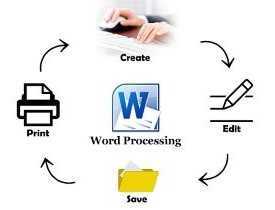
Description
Course Name: Certificate in Word Processing
Course Id: CWP/Q0001.
Eligibility: 10th Grade (high school) or Equivalent.
Objective: The Certificate in Word Processing course is designed to provide learners with comprehensive knowledge and skills in using word processing software effectively. The course covers document creation, formatting, editing, and management, as well as advanced features such as tables, graphics, mail merge, and templates.
Duration: Two Month.
 How to Enroll and Get Certified in Your Chosen Course:
 Step 1: Choose the course you wish to get certified in.
Step 2: Click on the “Enroll Now” button.
Step 3: Proceed with the enrollment process.
Step 4: Enter your billing details and continue to course fee payment.
Step 5: You will be redirected to the payment gateway. Pay the course and exam fee using one of the following methods:
Debit/Credit Card, Wallet, Paytm, Net Banking, UPI, or Google Pay.
Step 6: After successful payment, you will receive your study material login ID and password via email within 48 hours of fee payment.
Step 7: Once you complete the course, take the online examination.
Step 8: Upon passing the examination, you will receive:
• A soft copy (scanned) of your certificate via email within 7 days of examination.
• A hard copy (original with official seal and signature) sent to your address within 45 day of declaration of result.
Step 9: After certification, you will be offered job opportunities aligned with your area of interest.
Online Examination Detail:
Duration- 60 minutes.
No. of Questions- 30. (Multiple Choice Questions).
Maximum Marks- 100, Passing Marks- 40%.
There is no negative marking in this module.
| Marking System: | ||||||
| S.No. | No. of Questions | Marks Each Question | Total Marks | |||
| 1 | 10 | 5 | 50 | |||
| 2 | 5 | 4 | 20 | |||
| 3 | 5 | 3 | 15 | |||
| 4 | 5 | 2 | 10 | |||
| 5 | 5 | 1 | 5 | |||
| 30 | 100 | |||||
| How Students will be Graded: | ||||||
| S.No. | Marks | Grade | ||||
| 1 | 91-100 | O (Outstanding) | ||||
| 2 | 81-90 | A+ (Excellent) | ||||
| 3 | 71-80 | A (Very Good) | ||||
| 4 | 61-70 | B (Good) | ||||
| 5 | 51-60 | C (Average) | ||||
| 6 | 40-50 | P (Pass) | ||||
| 7 | 0-40 | F (Fail) | ||||
 Key Benefits of Certification- Earning a professional certification not only validates your skills but also enhances your employability. Here are the major benefits you gain:
 Practical, Job-Ready Skills – Our certifications are designed to equip you with real-world, hands-on skills that match current industry demands — helping you become employment-ready from day one.
 Lifetime Validity – Your certification is valid for a lifetime — no renewals or expirations. It serves as a permanent proof of your skills and training.
 Lifetime Certificate Verification – Employers and institutions can verify your certification anytime through a secure and reliable verification system — adding credibility to your qualifications.
 Industry-Aligned Certification –All certifications are developed in consultation with industry experts to ensure that what you learn is current, relevant, and aligned with market needs.
 Preferred by Employers – Candidates from ISO-certified institutes are often prioritized by recruiters due to their exposure to standardized, high-quality training.
 Free Job Assistance Based on Your Career Interests – Receive personalized job assistance and career guidance in your preferred domain, helping you land the right role faster.
Syllabus
Introduction to Word Processing: Basics of Word Processing, Overview of Word Processing Software, Features and Benefits, Understanding User Interface and Ribbon, Creating a New Document, Opening and Saving Documents, Formatting Text and Paragraphs, Using Templates and Themes, Basic Keyboard Shortcuts, Customizing Word Environment.
Text Formatting and Editing: Font Styles and Effects, Paragraph Alignment and Spacing, Bullets and Numbering, Indentation and Line Spacing, Copy, Cut, and Paste Functions, Find and Replace Tool, Working with Special Characters, Using Symbols and Emojis, Word Count and Readability, Undo and Redo Functions.
Page Layout and Design: Setting Page Margins and Sizes, Header and Footer Customization, Page Numbering Techniques, Inserting and Formatting Page Borders, Applying Watermarks, Working with Page Breaks and Sections, Adjusting Columns and Newspaper Layouts, Using Background Colors and Themes, Printing and Print Preview, Exporting Documents as PDF.
Working with Tables and Charts: Creating and Formatting Tables, Merging and Splitting Cells, Adding and Removing Rows/Columns, Sorting Data in Tables, Applying Table Styles, Inserting Charts and Graphs, Formatting Chart Elements, Using SmartArt Graphics, Linking Excel Data to Word, Creating Forms with Tables.
Inserting and Formatting Images & Objects: Adding Images and Pictures, Formatting and Resizing Images, Using Picture Styles and Effects, Inserting and Editing Shapes, Aligning and Grouping Objects, Text Wrapping Techniques, Inserting Online Pictures and Icons, Using Watermarks and Backgrounds, Working with 3D Models, Using Screen Clipping and Screenshots.
Advanced Word Processing Features: Creating and Using Templates, Working with Macros for Automation, Customizing Toolbars and Quick Access Toolbar, Creating and Managing Multiple Documents, Using Advanced Clipboard Features, Embedding Objects and Files, Protecting and Restricting Documents, Using the Developer Tab Features, Working with XML Data, Understanding File Compatibility.
Job Opportunities after completion of Certificate in Word Processing course:
Graduates of the Certificate in Word Processing program acquire essential skills for creating, editing, formatting, and managing text documents using word processing software such as Microsoft Word, Google Docs, or OpenOffice Writer. These skills are fundamental for various administrative, documentation, and content-focused roles across industries. Below are career options available to graduates, along with detailed roles and salary ranges in India:
1. Data Entry Operator
Role: Enter and format data in word processing software, prepare reports, and manage document organization. Often involves transcription or digitization of handwritten documents. Salary Range: ₹2,00,000 – ₹4,00,000 per year
2. Office Assistant
Role: Support administrative tasks such as preparing meeting minutes, drafting letters, creating presentations, and organizing office documentation using word processing tools. Salary Range: ₹2,50,000 – ₹5,00,000 per year
3. Administrative Executive
Role: Handle documentation, correspondence, and office workflow. This role involves formatting professional documents, creating templates, and ensuring data accuracy. Salary Range: ₹3,00,000 – ₹6,00,000 per year
4. Document Controller
Role: Manage and maintain document storage systems, ensuring accurate formatting and organization of files. This includes creating standardized document templates. Salary Range: ₹3,50,000 – ₹7,00,000 per year
5. Content Writer (Basic Level)
Role: Use word processing tools to create, edit, and format written content for blogs, articles, or official documents. This role emphasizes document clarity and professional presentation. Salary Range: ₹3,00,000 – ₹6,00,000 per year
6. Technical Typist
Role: Specialize in typing technical documents, manuals, and instructions with accurate formatting, including tables, diagrams, and charts. Salary Range: ₹2,50,000 – ₹5,50,000 per year
7. Legal Document Assistant
Role: Draft and format legal documents such as contracts, agreements, and case files, ensuring compliance with legal standards and terminology. Salary Range: ₹3,50,000 – ₹6,50,000 per year
8. Publishing Assistant
Role: Assist in formatting and editing content for books, brochures, and magazines using advanced word processing features like styles, headers, and footnotes. Salary Range: ₹3,00,000 – ₹6,00,000 per year
9. Freelance Document Specialist
Role: Provide document creation, formatting, and editing services to clients on a freelance basis. Common projects include resumes, reports, and business proposals. Salary Range: ₹3,00,000 – ₹7,00,000 per year (varies based on project volume)
10. Virtual Assistant
Role: Support clients remotely by handling tasks such as drafting emails, formatting documents, and organizing data using word processing software. Salary Range: ₹3,00,000 – ₹6,00,000 per year
11. Proposal Writer
Role: Prepare and format business proposals, tenders, and project plans with precise formatting, clear presentation, and attention to detail. Salary Range: ₹3,50,000 – ₹7,00,000 per year
12. Academic Content Assistant
Role: Assist educators or researchers by preparing formatted academic papers, assignments, or reports, including citation management. Salary Range: ₹2,50,000 – ₹5,00,000 per year
13. Resume Writer
Role: Create and format professional resumes and cover letters for clients, ensuring they are visually appealing and ATS-compliant. Salary Range: ₹2,50,000 – ₹5,00,000 per year
14. Government Clerk
Role: Prepare official documents, reports, and correspondence for government offices using word processing tools. Attention to formatting and accuracy is critical. Salary Range: ₹2,80,000 – ₹5,50,000 per year
15. Data Analyst Assistant
Role: Support data analysts by preparing formatted reports and tables, converting raw data into readable formats for presentations. Salary Range: ₹3,00,000 – ₹6,00,000 per year
16. Corporate Trainer (Word Processing Tools)
Role: Train employees or students on using word processing software effectively for business purposes, including advanced features like mail merge, templates, and macros. Salary Range: ₹4,00,000 – ₹8,00,000 per year
17. HR Documentation Specialist
Role: Create and maintain employee documentation, including offer letters, contracts, and policy documents, ensuring professional formatting. Salary Range: ₹3,00,000 – ₹6,50,000 per year
Factors Influencing Salary
- Experience: Entry-level roles tend to have lower salaries, but individuals with more experience or advanced skills can command higher pay.
- Industry: Salaries are higher in industries like IT, legal, and publishing, where document precision and formatting are critical.
- Location: Cities such as Bengaluru, Hyderabad, Pune, and Delhi often offer higher salaries due to better job opportunities and cost of living.
- Additional Skills: Knowledge of tools like Microsoft Excel, PowerPoint, or Google Sheets can enhance employability and salary potential.
Career Growth and Opportunities
- Entry-Level Roles: Data entry operator, typist, or document assistant positions provide a starting point for graduates.
- Advanced Roles: With additional experience and skills, individuals can move into higher-paying roles such as proposal writer, document controller, or corporate trainer.
- Freelance Opportunities: The flexibility of this certification enables graduates to work on freelance projects for document formatting and content creation.
Overall, the Certificate in Word Processing serves as a stepping stone for careers in administration, documentation, and content-focused roles. With practice and supplementary skills, graduates can progress into higher roles with improved earning potential.