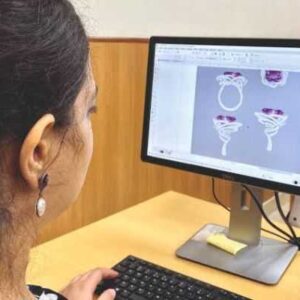
Description
Certification Name: Certificate in Design Software Specialist
Course Id: CDSS/Q0001.
Eligibility: Graduation or Equivalent.
Objective: The Certified Design Software Specialist course aims to equip learners with comprehensive skills and knowledge in using industry-standard design software tools effectively. The course focuses on developing proficiency in software applications for graphic design, 3D modeling, CAD drafting, or multimedia design, depending on the specialization. Learners will understand design principles, software functionalities, and workflows to create professional-quality digital designs.
Duration: Three Month.
 How to Enroll and Get Certified in Your Chosen Course:
 Step 1: Choose the course you wish to get certified in.
Step 2: Click on the “Enroll Now” button.
Step 3: Proceed with the enrollment process.
Step 4: Enter your billing details and continue to course fee payment.
Step 5: You will be redirected to the payment gateway. Pay the course and exam fee using one of the following methods:
Debit/Credit Card, Wallet, Paytm, Net Banking, UPI, or Google Pay.
Step 6: After successful payment, you will receive your study material login ID and password via email within 48 hours of fee payment.
Step 7: Once you complete the course, take the online examination.
Step 8: Upon passing the examination, you will receive:
• A soft copy (scanned) of your certificate via email within 7 days of examination.
• A hard copy (original with official seal and signature) sent to your address within 45 day of declaration of result.
Step 9: After certification, you will be offered job opportunities aligned with your area of interest.
Online Examination Detail:
Duration- 60 minutes.
No. of Questions- 30. (Multiple Choice Questions).
Maximum Marks- 100, Passing Marks- 40%.
There is no negative marking in this module.
| Marking System: | ||||||
| S.No. | No. of Questions | Marks Each Question | Total Marks | |||
| 1 | 10 | 5 | 50 | |||
| 2 | 5 | 4 | 20 | |||
| 3 | 5 | 3 | 15 | |||
| 4 | 5 | 2 | 10 | |||
| 5 | 5 | 1 | 5 | |||
| 30 | 100 | |||||
| How Students will be Graded: | ||||||
| S.No. | Marks | Grade | ||||
| 1 | 91-100 | O (Outstanding) | ||||
| 2 | 81-90 | A+ (Excellent) | ||||
| 3 | 71-80 | A (Very Good) | ||||
| 4 | 61-70 | B (Good) | ||||
| 5 | 51-60 | C (Average) | ||||
| 6 | 40-50 | P (Pass) | ||||
| 7 | 0-40 | F (Fail) | ||||
 Key Benefits of Certification- Earning a professional certification not only validates your skills but also enhances your employability. Here are the major benefits you gain:
 Practical, Job-Ready Skills – Our certifications are designed to equip you with real-world, hands-on skills that match current industry demands — helping you become employment-ready from day one.
 Lifetime Validity – Your certification is valid for a lifetime — no renewals or expirations. It serves as a permanent proof of your skills and training.
 Lifetime Certificate Verification – Employers and institutions can verify your certification anytime through a secure and reliable verification system — adding credibility to your qualifications.
 Industry-Aligned Certification –All certifications are developed in consultation with industry experts to ensure that what you learn is current, relevant, and aligned with market needs.
 Preferred by Employers – Candidates from ISO-certified institutes are often prioritized by recruiters due to their exposure to standardized, high-quality training.
 Free Job Assistance Based on Your Career Interests – Receive personalized job assistance and career guidance in your preferred domain, helping you land the right role faster.
Assessment Modules:
Module 1: Introduction to Design Software: Overview of design software, Types of design software (vector vs raster), User interface basics, File formats and compatibility, Installation and setup, Basic tools and commands.
Module 2: Graphic Design Fundamentals: Color theory and application, Typography basics, Layout and composition, Use of grids and guides, Image resolution and DPI, Working with layers and masks.
Module 3: Vector Graphics and Illustration: Creating and editing shapes, Pen tool mastery, Path operations and manipulation, Using strokes and fills, Applying gradients and patterns, Exporting vector graphics.
Module 4: Raster Image Editing: Photo retouching techniques, Using selection tools, Working with brushes and textures, Adjustment layers and filters, Masking and blending modes, Image resizing and cropping.
Module 5: Advanced Design Techniques: Working with 3D tools and effects, Creating animations and GIFs, Using design software plugins and extensions, Workflow automation and shortcuts, Collaboration and file sharing, Preparing designs for print and web.
Module 6: Project Development and Portfolio: Design project planning, Client requirements and briefs, Time management in design projects, Critiquing and revising work, Creating a professional portfolio, Presentation and export options.
🎓 Career Opportunities After Certificate in Design Software Specialist
A Certificate in Design Software Specialist equips professionals with expertise in industry-standard design tools such as Adobe Photoshop, Illustrator, CorelDRAW, InDesign, Figma, and other creative software used in graphic design, digital media, branding, and publishing. The program focuses on practical software proficiency, creative visualization, and production-ready design skills.
1️⃣ Graphic Designer
Key Responsibilities: Create visual concepts for print and digital media, design marketing materials such as brochures, banners, and social media creatives, develop branding elements, edit images, and ensure high-quality design outputs using professional software tools.
Salary in India: ₹2.5 – ₹5 LPA at entry level, ₹6 – ₹10 LPA with experience, and ₹10 – ₹18 LPA at senior level.
2️⃣ Visual Designer
Key Responsibilities: Develop creative layouts, digital advertisements, UI visuals, brand assets, and promotional materials while maintaining design consistency and enhancing user engagement across platforms.
Salary in India: ₹3 – ₹6 LPA for freshers and ₹7 – ₹14 LPA with experience.
3️⃣ DTP (Desktop Publishing) Operator
Key Responsibilities: Design and format books, magazines, brochures, and print layouts, prepare files for printing, manage typography and alignment, and ensure accurate print production standards.
Salary in India: ₹2 – ₹4 LPA at entry level and ₹5 – ₹7 LPA with experience.
4️⃣ UI Graphic Designer
Key Responsibilities: Design interface graphics, icons, visual components, and layouts for websites and mobile applications, collaborate with UI/UX teams, and ensure responsive and visually appealing designs.
Salary in India: ₹3 – ₹7 LPA at entry level and ₹8 – ₹15 LPA with experience.
5️⃣ Branding & Marketing Designer
Key Responsibilities: Create logos, brand identity materials, packaging designs, advertising creatives, and promotional visuals to strengthen brand positioning and market presence.
Salary in India: ₹3 – ₹6 LPA for beginners and ₹7 – ₹16 LPA with experience.
6️⃣ Freelance Design Software Specialist
Key Responsibilities: Provide graphic design services independently, create customized marketing materials, manage multiple client projects, deliver high-quality digital assets, and maintain professional communication and deadlines.
Earning Potential in India: ₹25,000 – ₹1,50,000+ per month or ₹5,000 – ₹50,000+ per project depending on expertise and client portfolio.
📈 Career Growth Path
Design Software Specialist → Senior Graphic Designer → Creative Lead → Art Director → Creative Director
With advanced skills in motion graphics, UI/UX design, branding strategy, and digital marketing design, salary potential can grow up to ₹15 – ₹35 LPA within 6–8 years in advertising agencies, IT companies, media houses, and corporate organizations.