Description
Certification Name: Certificate in Revit Architect
Course Id: CRA/Q0001.
Eligibility: 10+2 or Equivalent.
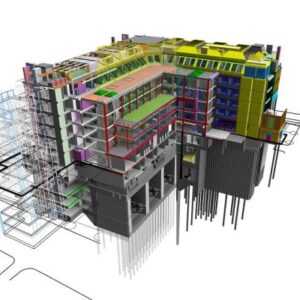
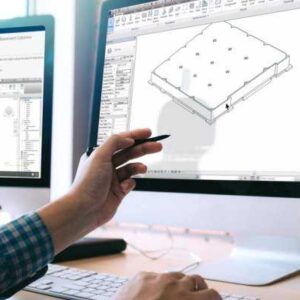
Objective: The objective of the Certified Revit Architect course is to equip participants with the knowledge and practical skills required to design, model, and document architectural projects using Autodesk Revit. The course focuses on Building Information Modeling (BIM) principles to create intelligent 3D models of buildings, incorporating walls, doors, windows, roofs, and other architectural components.
Duration: Three Month.
 How to Enroll and Get Certified in Your Chosen Course:
 Step 1: Choose the course you wish to get certified in.
Step 2: Click on the “Enroll Now” button.
Step 3: Proceed with the enrollment process.
Step 4: Enter your billing details and continue to course fee payment.
Step 5: You will be redirected to the payment gateway. Pay the course and exam fee using one of the following methods:
Debit/Credit Card, Wallet, Paytm, Net Banking, UPI, or Google Pay.
Step 6: After successful payment, you will receive your study material login ID and password via email within 48 hours of fee payment.
Step 7: Once you complete the course, take the online examination.
Step 8: Upon passing the examination, you will receive:
• A soft copy (scanned) of your certificate via email within 7 days of examination.
• A hard copy (original with official seal and signature) sent to your address within 45 day of declaration of result.
Step 9: After certification, you will be offered job opportunities aligned with your area of interest.
Online Examination Detail:
Duration- 60 minutes.
No. of Questions- 30. (Multiple Choice Questions).
Maximum Marks- 100, Passing Marks- 40%.
There is no negative marking in this module.
| Marking System: | ||||||
| S.No. | No. of Questions | Marks Each Question | Total Marks | |||
| 1 | 10 | 5 | 50 | |||
| 2 | 5 | 4 | 20 | |||
| 3 | 5 | 3 | 15 | |||
| 4 | 5 | 2 | 10 | |||
| 5 | 5 | 1 | 5 | |||
| 30 | 100 | |||||
| How Students will be Graded: | ||||||
| S.No. | Marks | Grade | ||||
| 1 | 91-100 | O (Outstanding) | ||||
| 2 | 81-90 | A+ (Excellent) | ||||
| 3 | 71-80 | A (Very Good) | ||||
| 4 | 61-70 | B (Good) | ||||
| 5 | 51-60 | C (Average) | ||||
| 6 | 40-50 | P (Pass) | ||||
| 7 | 0-40 | F (Fail) | ||||
 Key Benefits of Certification- Earning a professional certification not only validates your skills but also enhances your employability. Here are the major benefits you gain:
 Practical, Job-Ready Skills – Our certifications are designed to equip you with real-world, hands-on skills that match current industry demands — helping you become employment-ready from day one.
 Lifetime Validity – Your certification is valid for a lifetime — no renewals or expirations. It serves as a permanent proof of your skills and training.
 Lifetime Certificate Verification – Employers and institutions can verify your certification anytime through a secure and reliable verification system — adding credibility to your qualifications.
 Industry-Aligned Certification –All certifications are developed in consultation with industry experts to ensure that what you learn is current, relevant, and aligned with market needs.
 Preferred by Employers – Candidates from ISO-certified institutes are often prioritized by recruiters due to their exposure to standardized, high-quality training.
 Free Job Assistance Based on Your Career Interests – Receive personalized job assistance and career guidance in your preferred domain, helping you land the right role faster.
Assessment Modules:
Module 1: Introduction to BIM and Revit Architecture: Understanding Building Information Modeling (BIM) concepts, Overview of Revit interface and tools, Project setup and template selection, Setting units, levels, and grids, Navigation and view control tools, Understanding categories, families, and elements.
Module 2: Architectural Modeling Basics: Creating and modifying walls, Adding doors and windows, Modeling floors, ceilings, and roofs, Placing rooms and room tags, Creating shafts, openings, and stairs, Working with curtain walls and railings.
Module 3: View Management and Visualization: Creating plan, elevation, and section views, Applying view templates and visibility graphics, Creating 3D views and walkthroughs, Using rendering tools for realistic views, View filters and graphic overrides, Managing view organization and properties.
Module 4: Annotation and Documentation: Adding dimensions and text annotations, Creating and applying tags, Detail views and drafting components, Creating schedules and legends, Sheet setup and layout management, Printing and exporting documentation.
Module 5: Conceptual Design and Massing: Creating conceptual masses and forms, Working with in-place and loadable families, Mass floors and volume analysis, Applying materials and surface patterns, Adaptive components and parametric design, Using sun studies and shadow analysis.
Module 6: Collaboration and Project Management: Worksharing and central model setup, Linking Revit models and CAD files, Coordination with structural and MEP models, Project browser and file organization, Revision tracking and model auditing, Exporting models for construction and presentation.